Our URL forwarding now supports HTTPS, which means that visitors accessing your URL via https:// will also be redirected correctly.
Previously, our forwarding server only supported HTTP traffic. This meant that visitors accessing your domain via https:// were not redirected and instead encountered an error.
We have now added full HTTPS support to the forwarding server. It automatically issues SSL certificates, ensuring that redirection works regardless of whether visitors use HTTP or HTTPS.
URL forwarding is included free of charge with all domains at Simply.com.
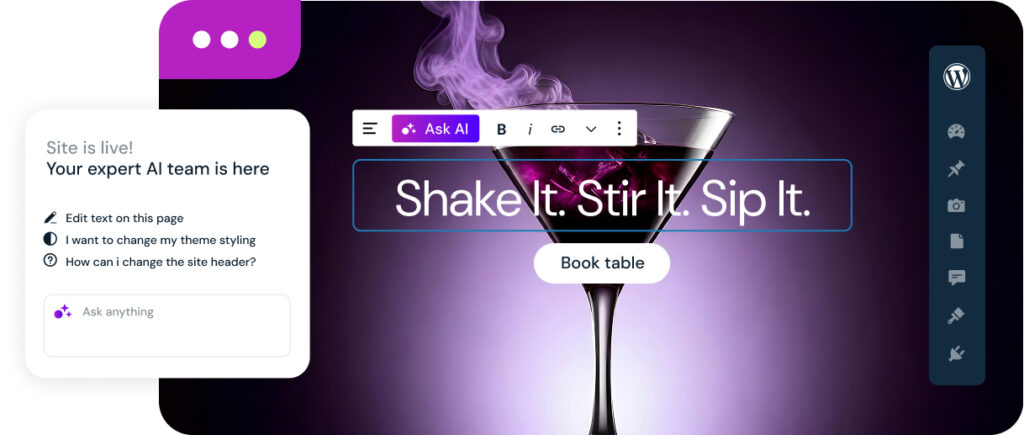
Building a website usually takes time, structure, and a lot of clicks. With AI in Simply.com’s tools, it becomes much easier. Just describe what you want – and AI helps you all the way from idea to finished website. Whether you use WordPress or our own website builder, AI features are ready to help you right away.
How AI helps you
AI at Simply.com works like your own digital team, ready to write, design, and optimise for you.
That means you can:
Create a complete website or webshop in minutes – with pages and text tailored to your business.
Edit directly on the page – type “change the headline” or “make the button green,” and AI takes care of it.
Write or improve content – AI can create headlines, product descriptions, and CTAs that fit your style and brand.
Find the right tools – AI recommends and installs the plugins you need, like for cookies, booking, e-commerce or blogs.
Update your entire site at once – new colours, tone or layout – no coding, no hassle.
A new way to work
With AI, you can manage your website naturally. Just tell it what you want, and AI understands. You see the results instantly, keeping full control to approve, undo or refine any change. It’s faster, simpler, and more intuitive than ever.
Smarter tools – same security
AI isn’t an external add-on or experimental feature. Everything runs directly within Simply.com’s systems, giving you the same benefits as always: stable performance, high security, and full control of your data.
Whether you run a webshop, blog or booking service, AI helps you get there faster. It’s not about replacing your creativity – it’s about freeing it. AI handles the practical work, so you can focus on ideas, content, and growth.
Ready to try AI? See how easy it is to create and grow your website – with AI as your assistant.
You may have noticed that several hosting companies that offer web hosting have started advertising that you can use PHP 8 with them. But is PHP 8 something you should be aware of, and what impact could it have on your website?
There may be several good reasons to update your WordPress or Joomla site to use PHP 8.0. Among other things, it helps to increase the speed of your website. In this blog post, we dive into what else the new PHP update will mean for your website.
We receive many questions from customers about whether or not we plan to stop offering PHP 7.4.
Simply.com has no plans to remove or stop offering PHP 7.4, just as we still offer several other PHP 7 versions (and even PHP 5.6).
We will set our default PHP version to PHP 8.0 when WordPress and various themes start recommending it over PHP 7.4. We’ll give plenty of notice before making any changes.
We’ve made it easier to restart every active PHP-process on your PHP-webspace. Before, this had to be done through SSH, but we’ve now added a “Restart PHP-threads”-shortcut for this through our Control Panel under the menu “Website”.
It may sometimes be desirable to restart PHP-threads, if they end up continuously using a lot of ressources (e.g. because you accidentally installed a bad WordPress-plugin or something) – this is now a bit easier :)
On November 10th 2020 .NET 5.0 was released, and since then you as a Simply.com-customer have been able to use it.
It is possible to use .NET 5.0 (with ASP.NET, C# etc.) on our servers, as long as you use Self-Contained Deployment (SCD), which has always been the case with .NET Core 3.x